Find out what it costs before you commit to it.
Build the promo, the channel launch, or the price change as a scenario on top of live demand. Planster runs it through the real ordering engine and shows you the production it triggers and the cash it commits. Promote it or throw it away.
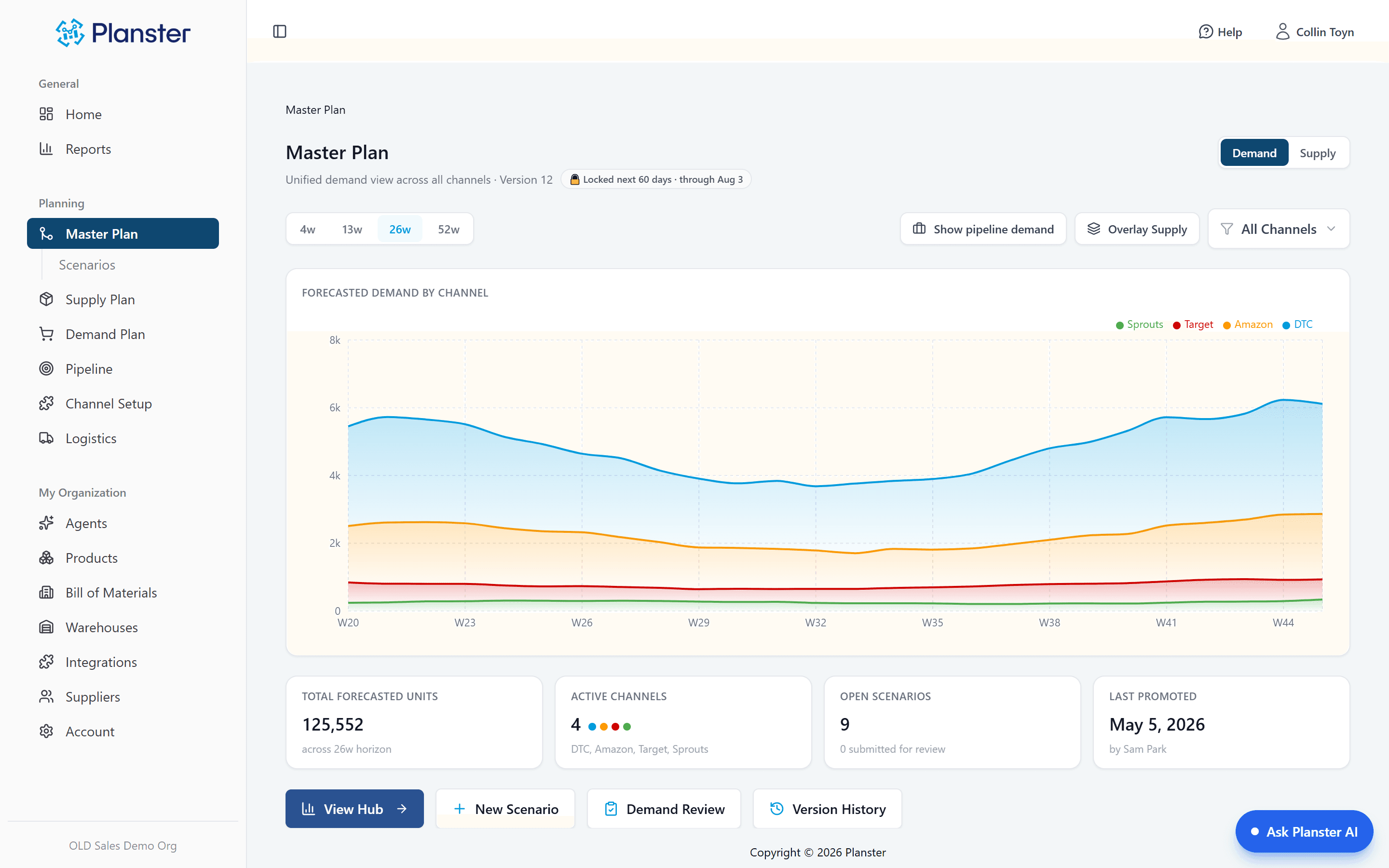
See the consequence before you commit
Before a scenario touches your plan, Planster runs it through your real ordering engine: which orders move, what inventory looks like week by week, and how much capital the change pulls forward. Adding 22,400 units commits about $292K in production runs. You read that before you say yes.
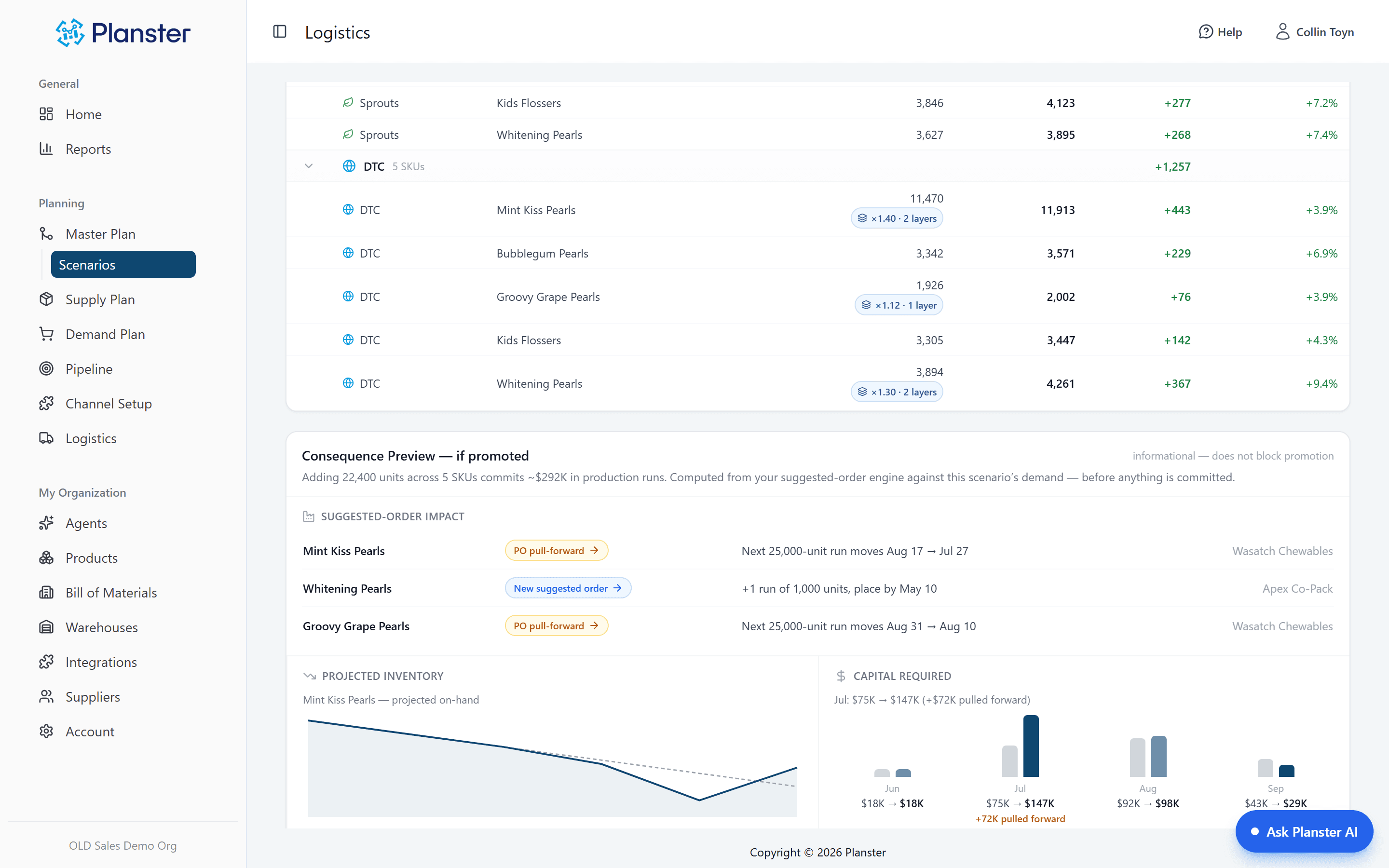
Promote with a paper trail, and an undo button
Promoting writes the scenario into the plan as a durable version: who promoted it, when, and exactly what changed, down to the cell. Promote the whole thing or cherry-pick channels. Changed your mind? Un-promote restores the plan exactly as it was.
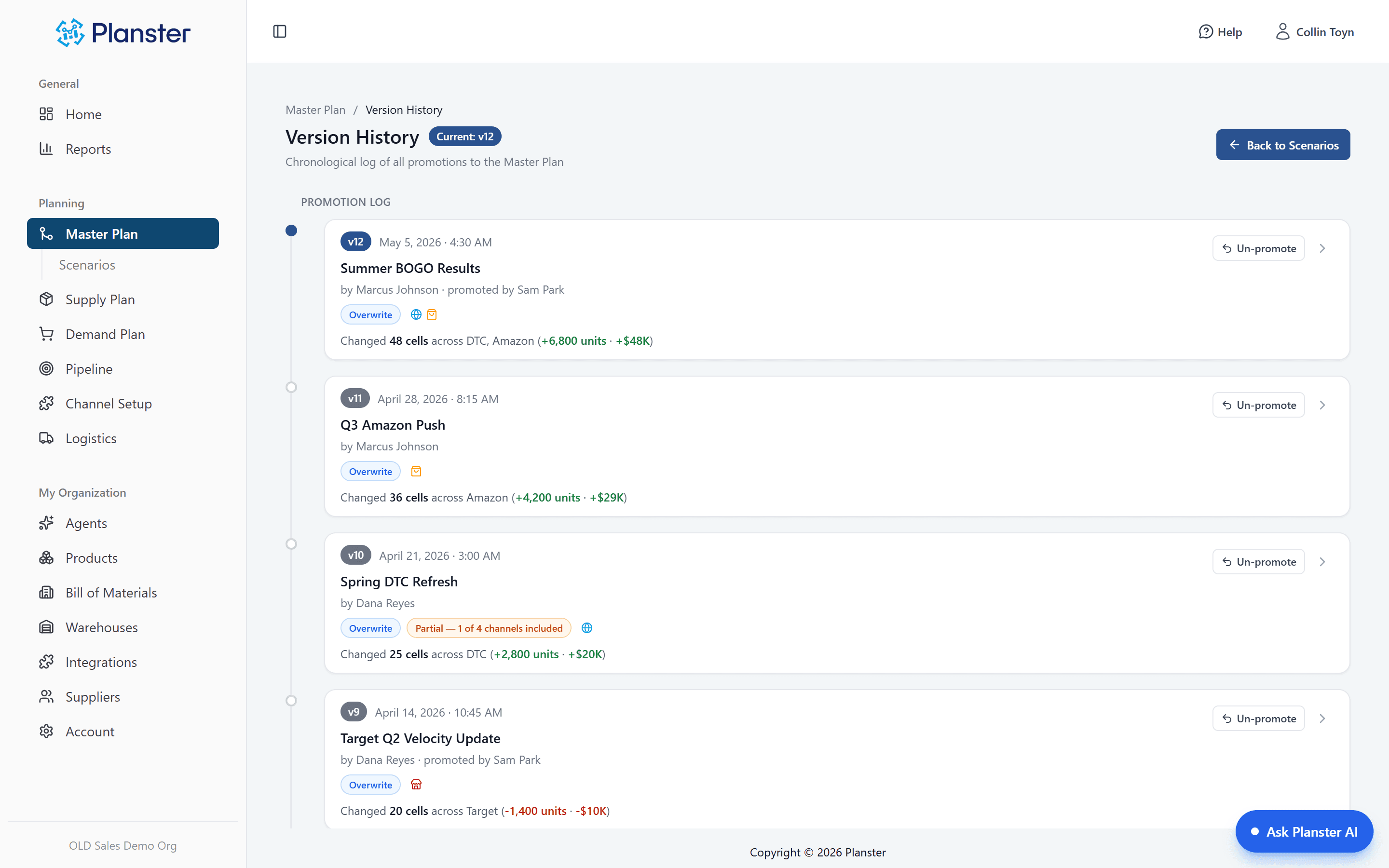
Every number explains itself
Promoted changes live as visible layers over your base forecast, not baked-in edits. Click any cell and see the arithmetic: base forecast × promo lift × channel launch = the number on screen, with the scenario, the person, and the date behind each layer.
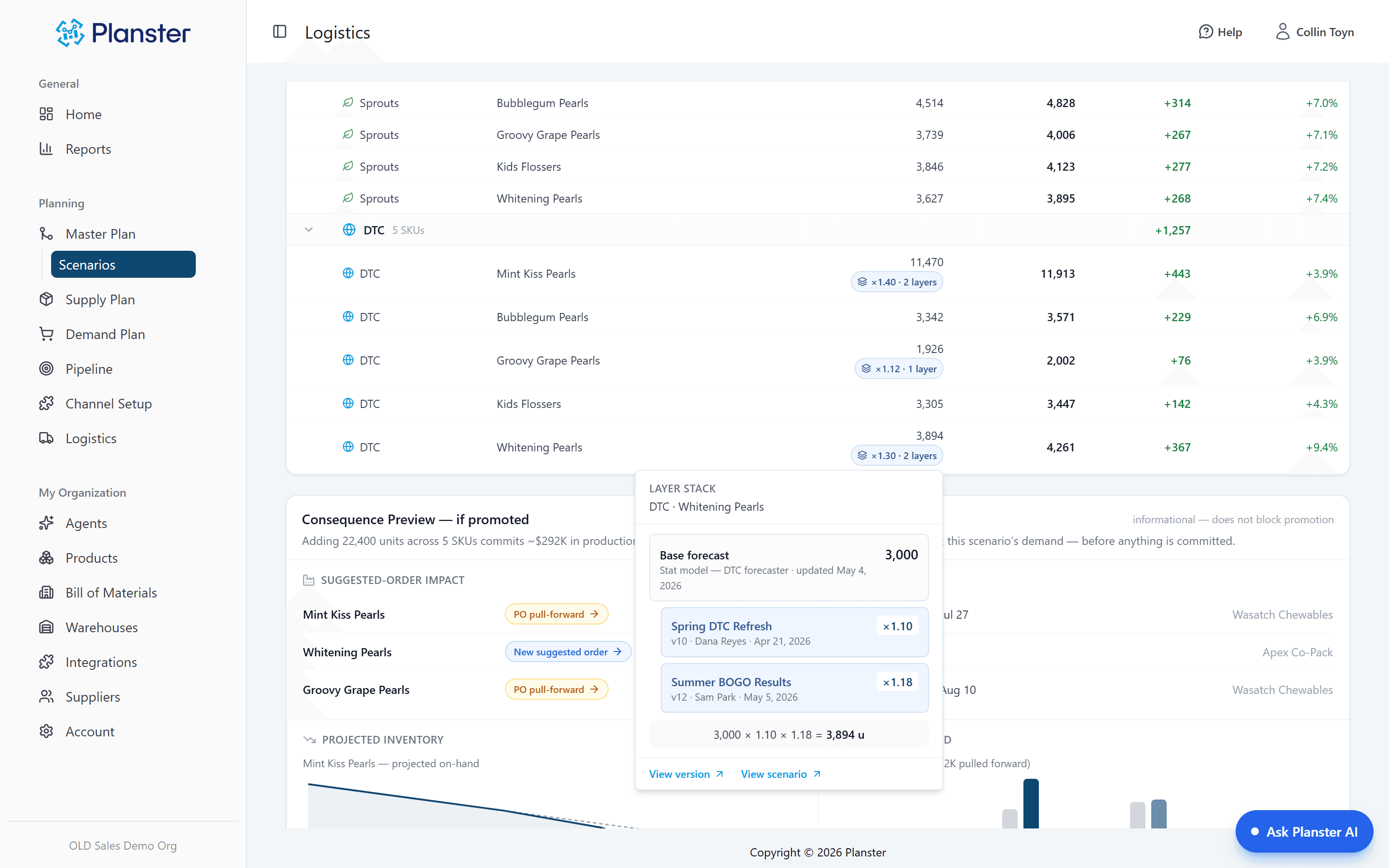
Duplicate, tweak, compare
A promo lift, a new channel, a price increase — each one is a scenario: a sandboxed set of changes layered over live demand, not a spreadsheet copy that drifts stale by Wednesday. Compare them side by side and keep iterating until one earns its way in.
A lock that keeps production sane
The next 60 days are fenced by default — the window where your orders are already committed and changes cause chaos. Scenarios that reach inside the fence get flagged when you promote, so near-term supply stays stable while you reshape the future.
A baseline to measure against
Keep a base plan alongside the live plan that is actually driving orders, so you can see how far the working plan has moved from where you started.
What the agent does with master plan
Every night
The agent watches the plan for gaps and puts them on your morning list — a won deal nobody promoted, a scenario whose order-by date has passed.
What it can’t do
It cannot promote a scenario, un-promote one, or change a plan. Promoting is an explicit human step and there is no setting that delegates it.
How a launch decision actually happens
A brand preparing a 400-door retail launch builds it as a scenario: the fill order, the ramp, the supporting promo. The consequence preview shows it pulls two production runs forward and commits about $292K — before anyone says yes. Three of those weeks land inside the 60-day fence, so they get flagged. The team compares it against a slower onboarding scenario, picks the winner, and promotes it as version 13. When the retailer pushes the reset back a month, un-promote puts everything back.
How it fits together
Every capability runs on the same demand forecast, so each one makes the others more useful.
Pipeline
Deals in your Pipeline overlay the Master Plan at full volume until you promote them — sales activity becomes demand you can plan against.
Explore PipelineKnow what’s comingBase plan and live plan
Keep a baseline next to the live plan so the cumulative effect of everything you promoted this quarter is a number.
Explore Base vs live planPlan the big moves without betting blind
See a scenario run against your own numbers. Most brands run their first what-if on day one.