An audit trail on every number in the forecast
Every forecast cell records who set it, when, and whether a person or the system did. Planners can override any number, and the override keeps their name and the date on it.
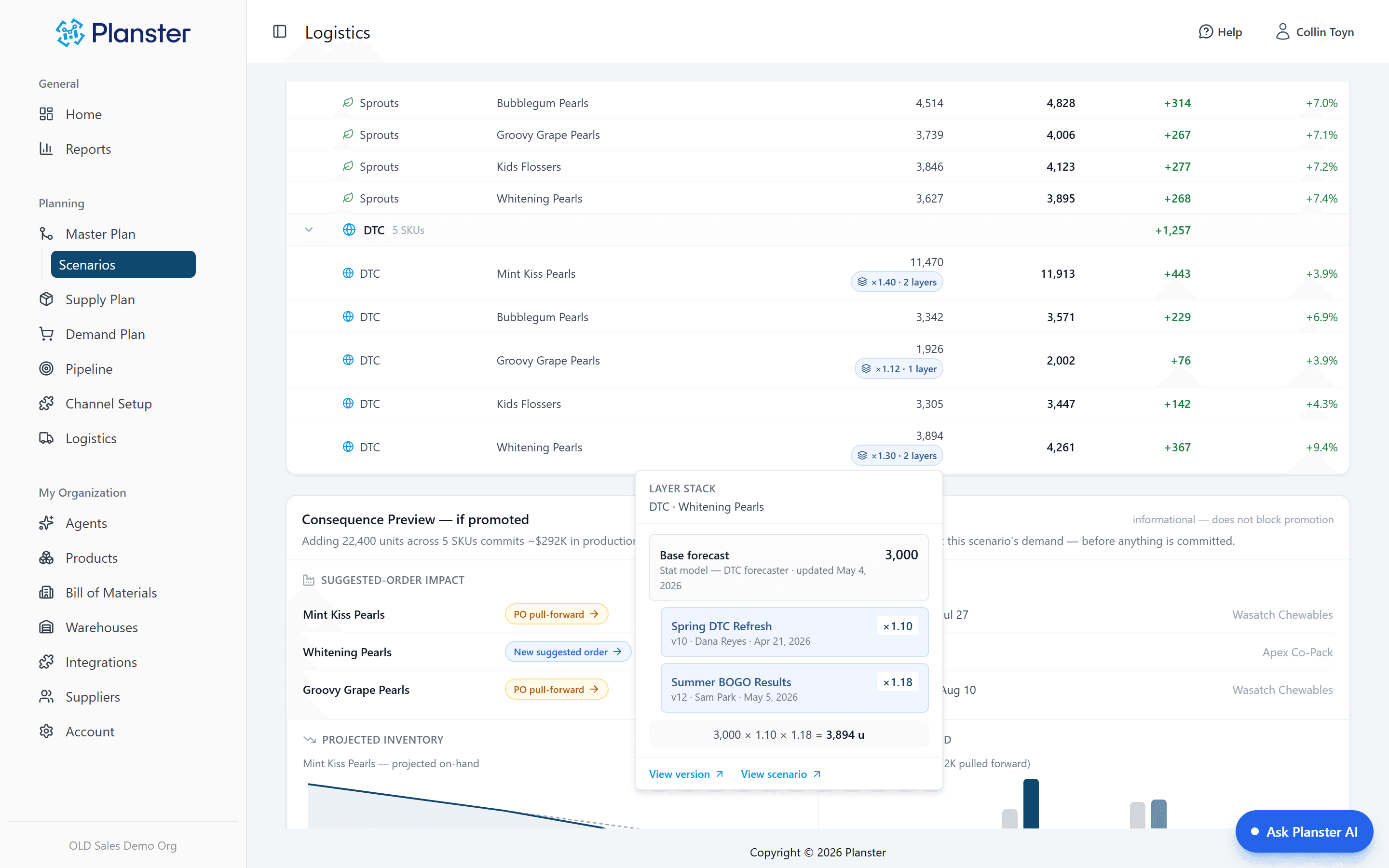
Overrides recorded with a name and date
You know things the model does not: the broker went quiet, the co-man slipped, the competitor is out of stock. Type the number. Planster keeps it, and keeps your name and the date attached to it.
System forecasts and manual entries shown apart
A cell the forecast produced and a cell someone typed are displayed differently. One updates itself as new sales arrive; the other stays at the value someone entered until they change it.
Plan reviews about decisions, not versions
When each cell shows who set it and when, sales and ops stop reconciling spreadsheet versions and spend the meeting on the decision itself.
What the agent does with provenance
Every night
This is what makes the agent’s answers checkable. Every figure it reports carries provenance — "4,212 units on hand, as of last night’s sync" — linked to the screen showing the same number. A figure it cannot link to, it does not state.
What it can’t do
It cannot edit a forecast cell or overwrite your override. Anything it produces is a draft with its own stamp on it, and drafts are not the plan.
Example: a number nobody could explain
Take a quarterly plan review that stalls on one line: 8,000 units for a SKU that has never sold more than 5,000. Nobody in the room set it, and the spreadsheet has no record of who did. In Planster the cell shows who entered it, when, and in which scenario, and the review moves on.
How it fits together
Every capability runs on the same demand forecast, so each one makes the others more useful.
Your own numbers
When you want your number kept separately rather than as an override, set a manual plan and keep it next to the forecast.
Explore Your own numbersScenarios and S&OPMaster Plan
Approved scenarios live as visible layers over the base forecast, so a cell can show the whole calculation that produced it.
Explore Master PlanSee the audit trail on your own plan
Every number carries who set it and when. Bring the line your team can’t explain.