Every morning, a ranked list of the decisions that need you
Every night Planster re-checks every SKU, order, and channel against your plan. Every morning you get a ranked email of what needs a decision, with the purchase orders already written. You approve them in Planster.
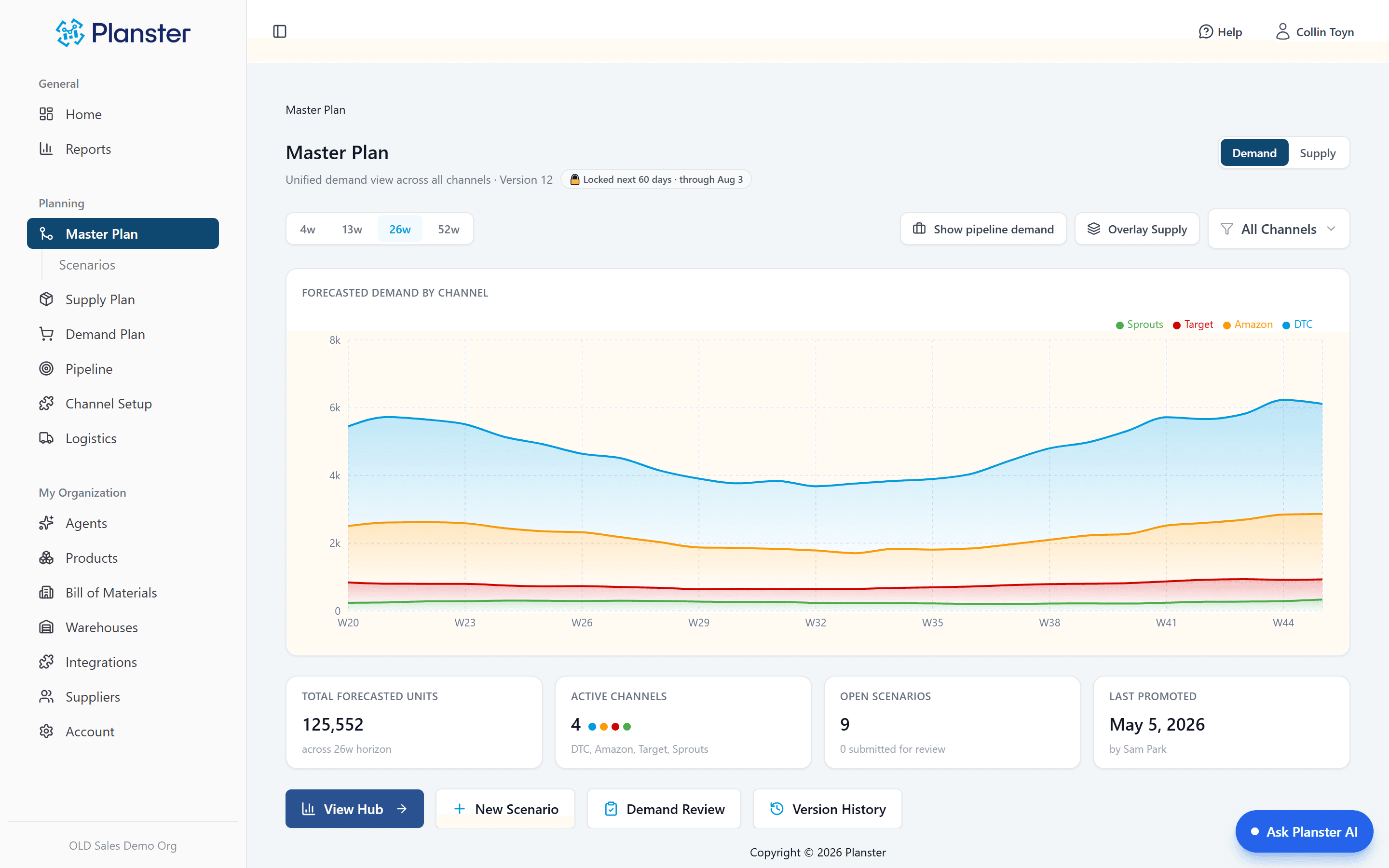
What it is reading: one demand forecast built across retail, wholesale, DTC, and Amazon from your ERP and 150+ other connected systems, netted against what is on hand, on order, and already committed. The agent does not have its own numbers. It has yours.
Built for $50–500M consumable CPG brands, manufacturers and co-manufacturers — food, beverage, supplements, beauty and household goods.
Questions answered with a link to the source
The chat answers inventory, purchasing, and demand questions with provenance or not at all: "4,212 units on hand · as of last night’s sync," linked to the screen showing the same number. A figure that can’t carry a link doesn’t get stated.
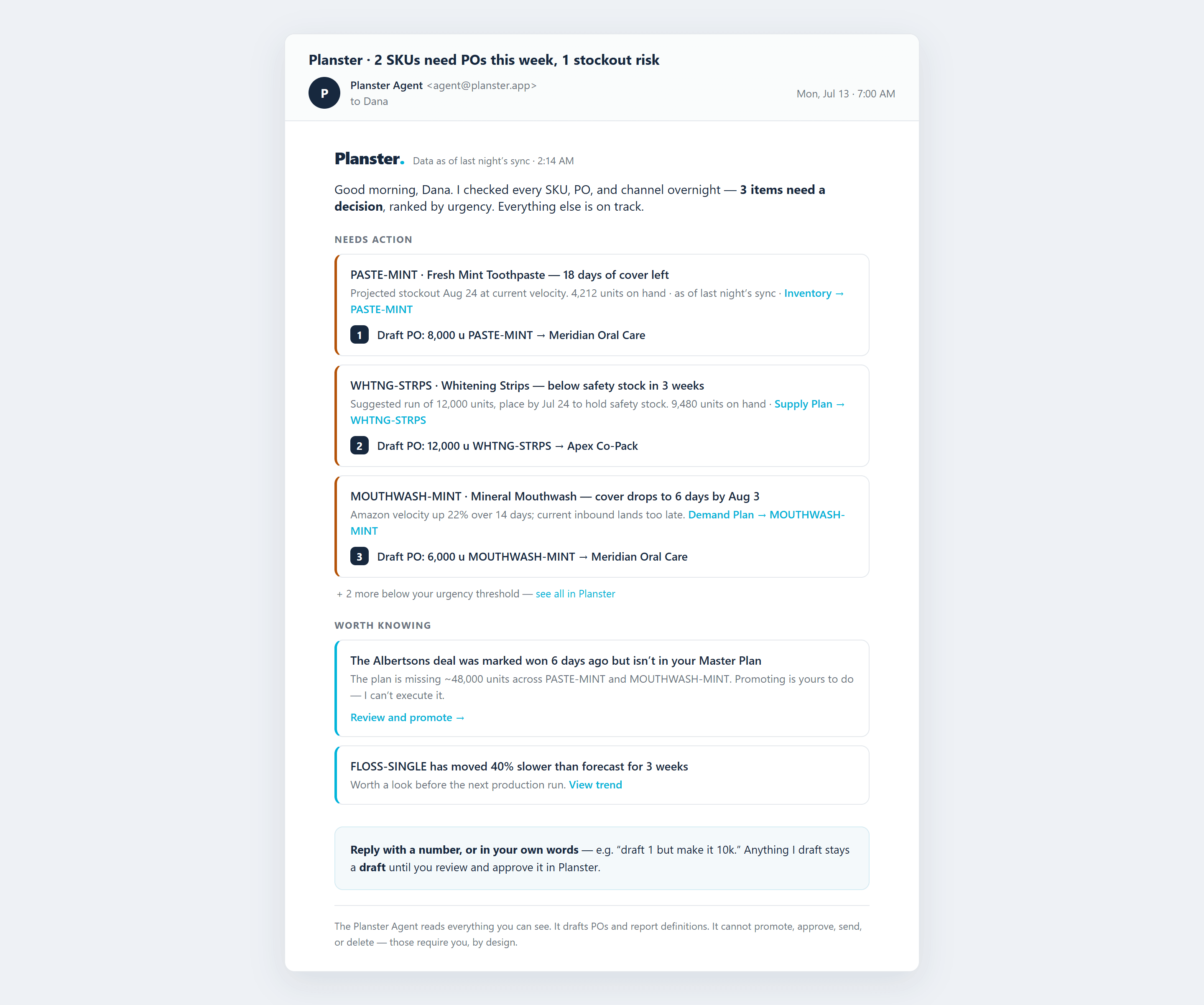
A ranked morning email, not a dashboard to check
The subject line carries the headline — "2 SKUs need POs this week, 1 stockout risk" — so triage happens in your inbox. Items are ranked and capped. Quiet days say all clear. You only log in when something needs you.
Purchase orders drafted for approval
Every item that needs a purchase order has one written against it, waiting in the app. You change the quantities you want changed and approve. Nothing reaches a supplier before that.
The same data and permissions as its user
The agent reads exactly what the user it works for can see — no more. Same numbers, same permissions, same moment. It works from your live data, not a copy of it.
Errors flagged and logged
Every message carries a flag. Flagged messages go to a review log, and you can silence any check you don’t need. When a flagged issue is fixed, the next morning’s digest says what caused it.
What it can and cannot do
It reads everything you can see, and it drafts purchase orders and report definitions. It cannot approve a plan, approve an order, send anything to a supplier, or delete anything, and no setting changes that.
Example: one morning, start to finish
At 7:00 AM the digest flags PASTE-MINT: 18 days of cover left, stockout projected for late August. The planner asks what is driving it and gets the answer with a link to the screen it comes from: Amazon velocity up 40% for three straight weeks. In Planster the purchase order is already drafted. She changes it to 10,000 units and approves it. Below it is a note that the Albertsons deal was marked won but never added to the plan, with a link to approve it.
What it works on
Every capability below carries its own section on what the agent does with it — and what it cannot do.
Demand planning
One forecast across every channel, with every number traceable to who set it.
Supply planning
What to order, when, how much, and from whom.
Scenarios and S&OP
Scenario planning, retail deal planning, and one plan for sales and operations.
Common questions
Can the agent order inventory on its own?
No. The agent writes purchase orders as drafts. Every one requires your approval inside Planster before anything reaches a supplier, and there is no setting that changes this.
Is this replacing my planner?
No. It replaces the part of their morning spent hunting through screens to find out what changed overnight. The agent watches, ranks, and writes; your team judges, decides, and approves. Every gate a human passes through today still applies.
What data can the agent see?
Exactly what the user it works for can see — no more. Its permissions are read-everything, write-drafts-only, and every number it reports links back to the in-app screen showing the same figure.
What happens when it gets something wrong?
Every message carries a flag. Flags go to a review log, you can silence any check yourself, and when a flagged issue is fixed, your next digest tells you what caused it.
See what Planster flags in your data
Connect your data and get your first ranked list, with the purchase orders drafted for your approval.