Planster vs Excel
Excel is free, flexible, and where almost every CPG brand starts. It's also where forecasts go stale, formulas break silently, and one person becomes the single point of failure. Planster is demand and supply planning software for $50–500M consumable CPG brands and manufacturers: the forecast is fitted to each SKU, the data syncs every night, and every change is recorded with who made it.
Excel details last reviewed
The short answer
No tool wins for everyone. Here's the honest split.
CPG brands whose spreadsheet has become a part-time job, a single point of failure, or a source of costly stockouts and overstock — and who want automated forecasting, scenarios, and an agent instead.
Very early or very small brands with a handful of SKUs and one channel, where a spreadsheet is still fast enough and a wrong number costs little.
Feature-by-feature
| Capability | Planster | Excel |
|---|---|---|
| Data entry & refresh | Sales and inventory auto-sync via Trackstar (150+ systems); the plan is current every morning | Manual exports and copy-paste — stale the moment you finish building it |
| Forecasting | Auto-selected statistical models per SKU (Prophet/ETS/SARIMA), seasonality, safety stock that follows the forecast | Whatever formulas you build and maintain by hand — usually a moving average |
| Holds up at scale | Unlimited SKUs, channels, and warehouses without slowing down or breaking | Formulas break, files bloat, and "final_v7.xlsx" versions multiply |
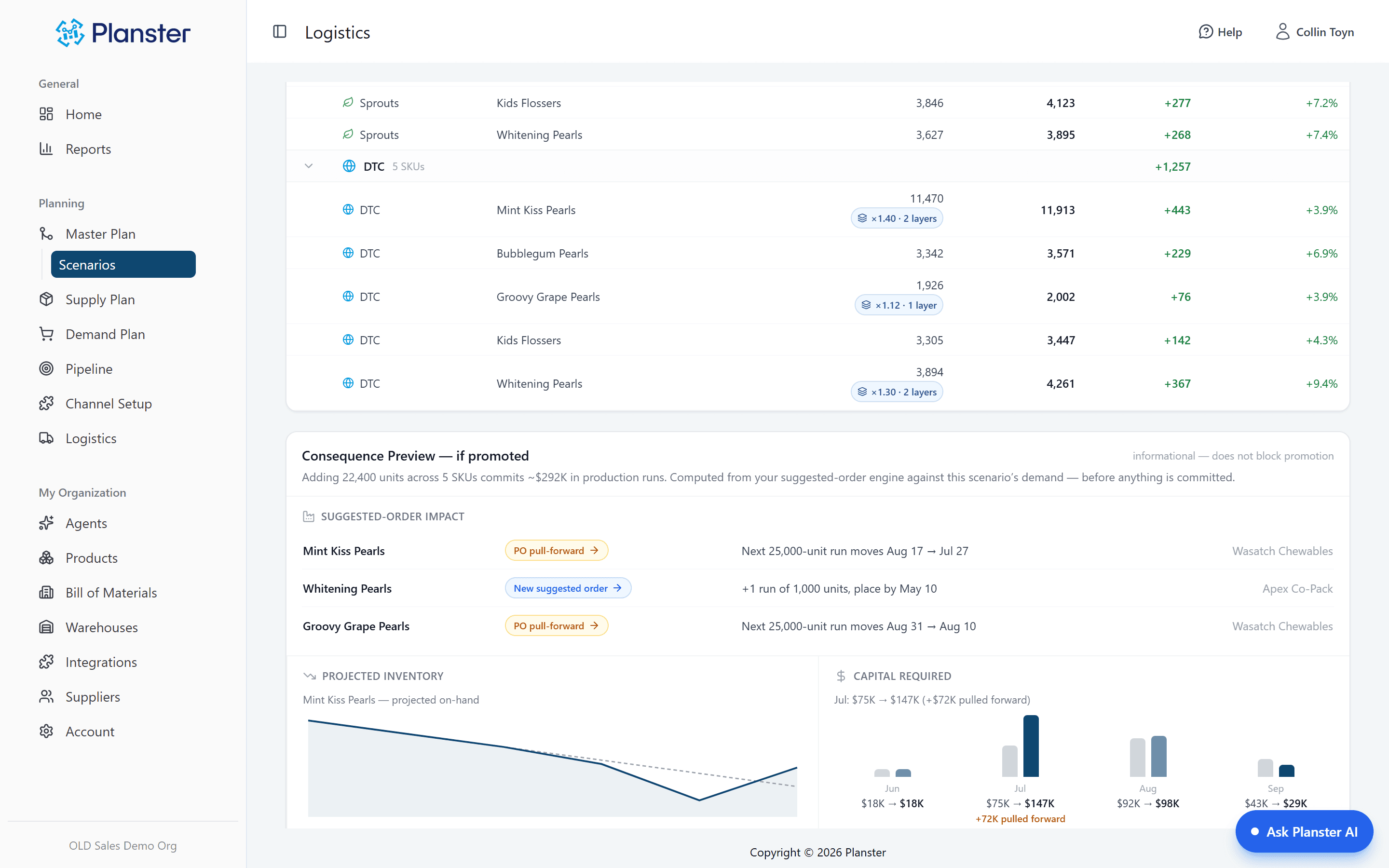
| Scenario planning with a cost preview | Model scenarios; see the cash a change commits (~$292K) before approving it; roll back to undo | A "Save As" copy that drifts stale, with no way to see what a change really commits |
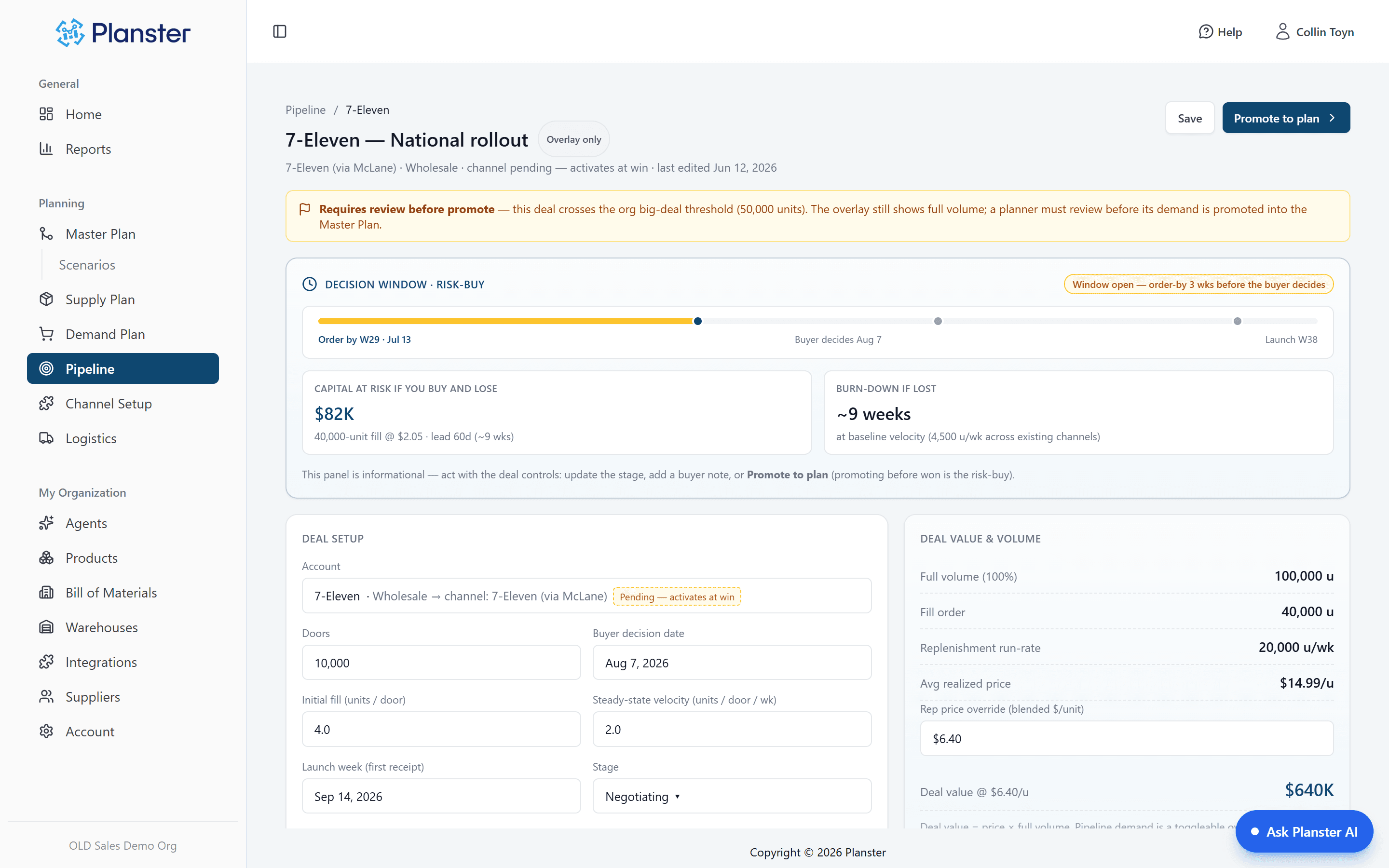
| Retail-deal pipeline → demand (risk-buy math) | Deals overlay the plan at full volume with order-by dates and capital-at-risk math | A separate tab someone forgets to update |
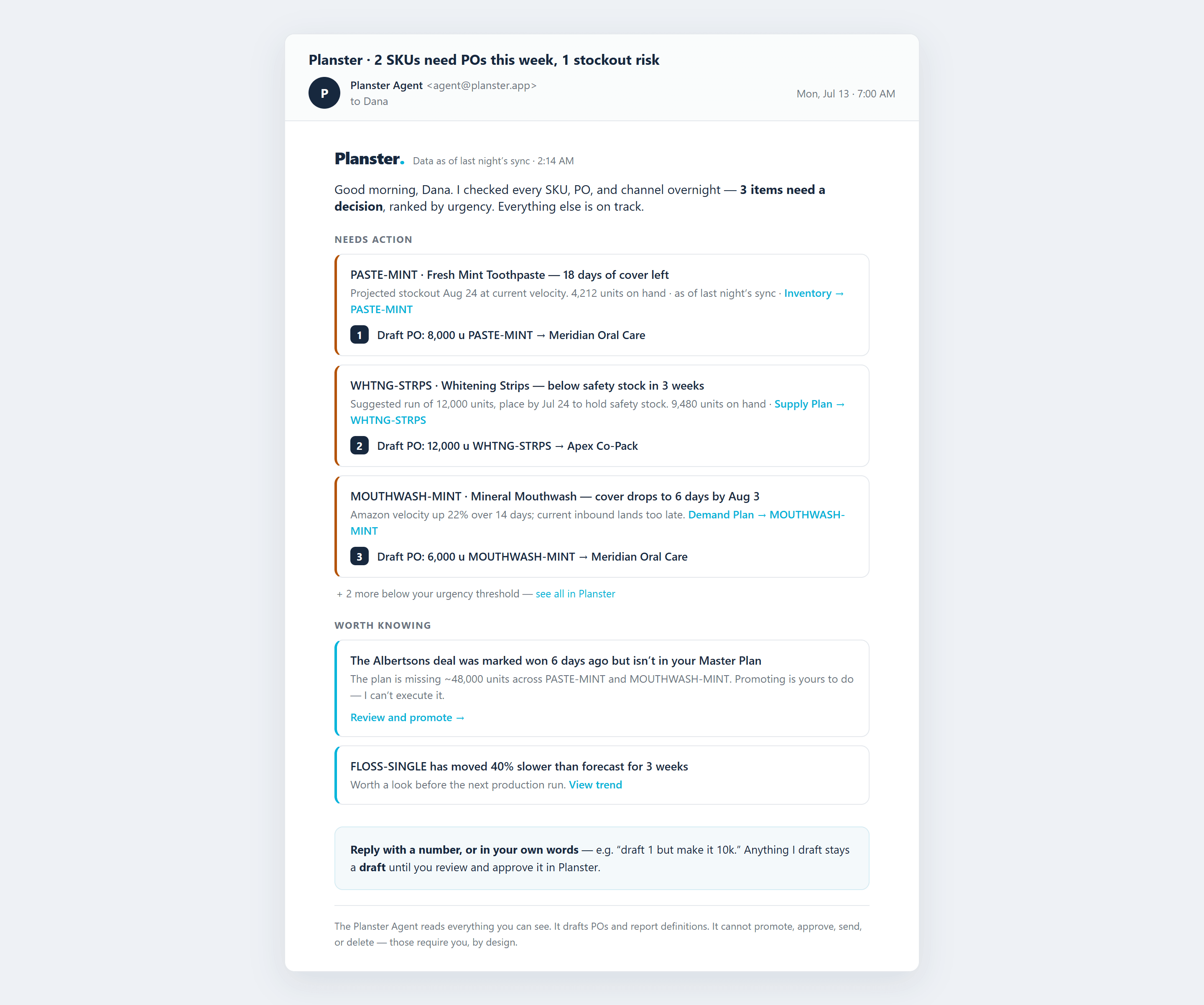
| AI agent | Overnight check of every SKU, then a ranked morning email with draft POs | Can't tell you anything — you have to go find the problem yourself |
| Collaboration & key-person risk | Shared plan, no version conflicts, every change attributed | One person owns the file; if they're out, planning stops |
| Auditability | Every number links back to the screen and source behind it | A wrong formula can hide for months before anyone notices |
| Cost | Plan $999/mo | Free software — but paid for in hours, errors, and stockout/overstock risk |
Where Planster pulls ahead
See what a decision costs before you commit
Planster's Master Plan runs every scenario through the same ordering calculation as your live plan and shows which POs move and how much cash the change pulls forward, before anyone approves it. Most planning tools tell you what to reorder; Planster also shows what a whole scenario commits.
Plan the retail launch, not just the reorder
Planster's Pipeline puts retail deals into the demand plan at full volume and calculates the order-by date to make the launch and the cash at risk if the deal falls through. Whether to buy before the buyer decides is a question a reorder tool does not answer.
Checks run overnight; decisions stay with your team
Every night Planster checks every SKU, PO and channel and emails a ranked morning digest with draft POs attached. Your team changes what it wants changed and approves in the app. It cannot approve a plan or an order, or send anything, on its own, and no setting changes that.
Pricing
Pilot $99/month, Plan $999/month, Produce $2,499/month. Unlimited users on every plan.
The spreadsheet is free. The real cost is the hours spent building and maintaining it, the stockouts and overstock that come from stale or broken formulas, and the risk of one person owning the entire plan. A single week of stockout on one product can cost $5,000 or more.
Cost framing from Planster's own ROI math (`app/pricing`) and the founding pitch.
When Excel is the better fit
No tool wins for everyone. Here's where Excel is the honest choice.
- You're very early or very small — a handful of SKUs, one channel — and a spreadsheet is still fast enough.
- Your planning stakes are low enough that a stale forecast or a broken formula won't cost real money.
- You need total ad-hoc flexibility for a one-off analysis that doesn't need to persist or sync.
Common questions
Isn't Excel free?
The software is — but planning in it isn't. The cost shows up as the hours spent rebuilding forecasts that are stale by the time they're done, and as the stockouts and overstock that come from stale or broken formulas. A single week of stockout on one product often costs $5,000 or more.
Can I bring my existing spreadsheet data into Planster?
Yes — Planster supports data import, and it connects directly to your sales and inventory systems via Trackstar, so you stop maintaining the numbers by hand. Most brands are up and running in days and surface a real problem within minutes of connecting their data.
See your plan without the spreadsheet
Connect your data and see the forecast, reorder plan and drafted purchase orders built from it.